Explore Every Feature by Category
Every BoltPlayer capability has its own dedicated page with custom interactive previews and real full-screen captures. Filter by category below or click any card to open its dedicated page.
Player & Multitasking
Always-on-Top Popup Mini Player, 5 Full Screen aspect ratios, 6 Subtitle sizes (S–XXXL), and 4-Screen Multiview.
Popup Mini Player (PiP)
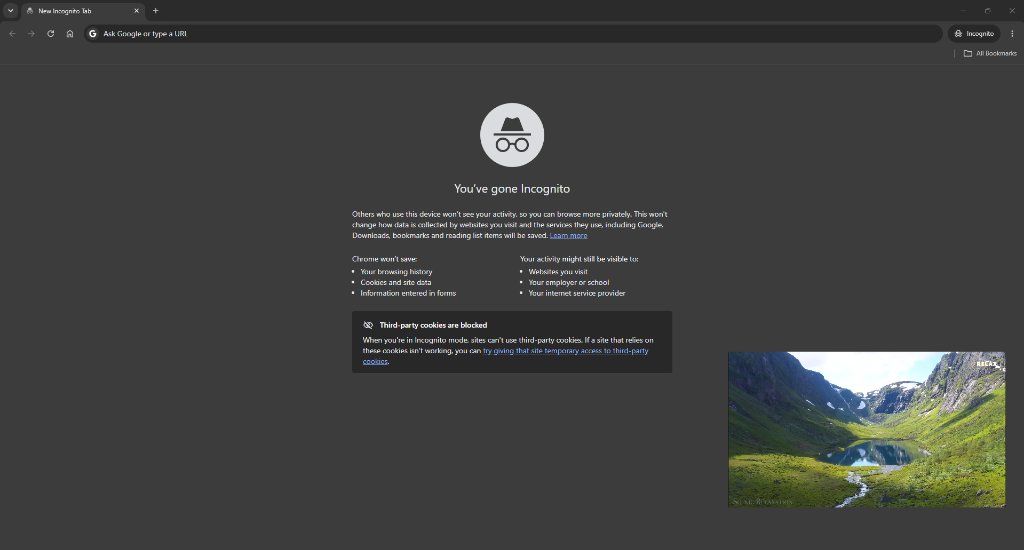
Click the 'Popup' button in BoltPlayer to detach your Live TV broadcast, Movie, or Series into a borderless Always-on-Top floating window. Keep it compact in the corner while browsing Chrome or expand it to a large view and drag it anywhere on your desktop.
Full Screen & 5 Aspect Ratios
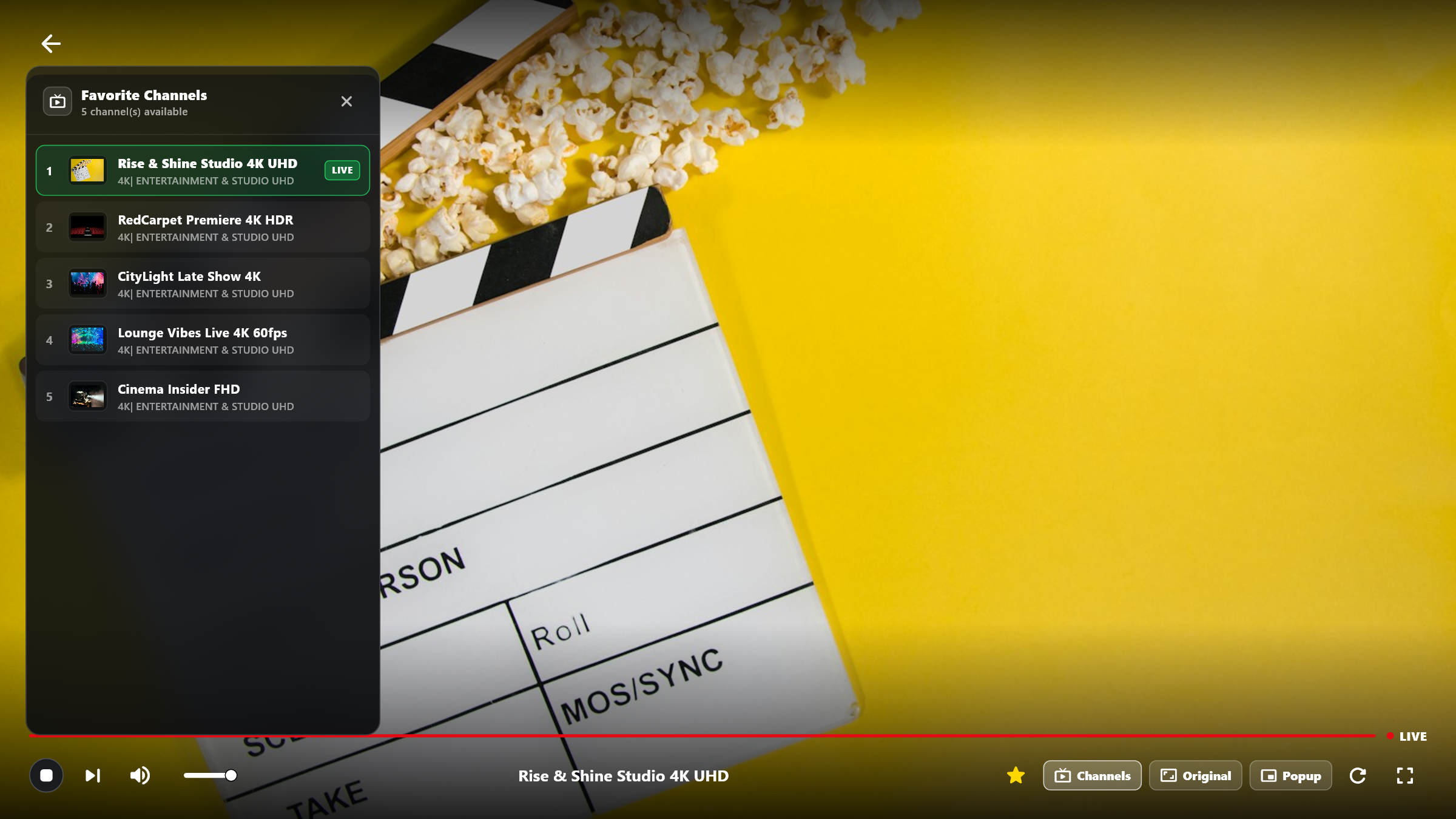
Experience edge-to-edge 4K/8K cinema playback with 5 instant aspect ratio modes (Original, Full, Zoom, 16:9, 4:3) and slide-out frosted glass drawers for Favorite Channels and Series Episodes.
Subtitles (S–XXXL) & Dubbing
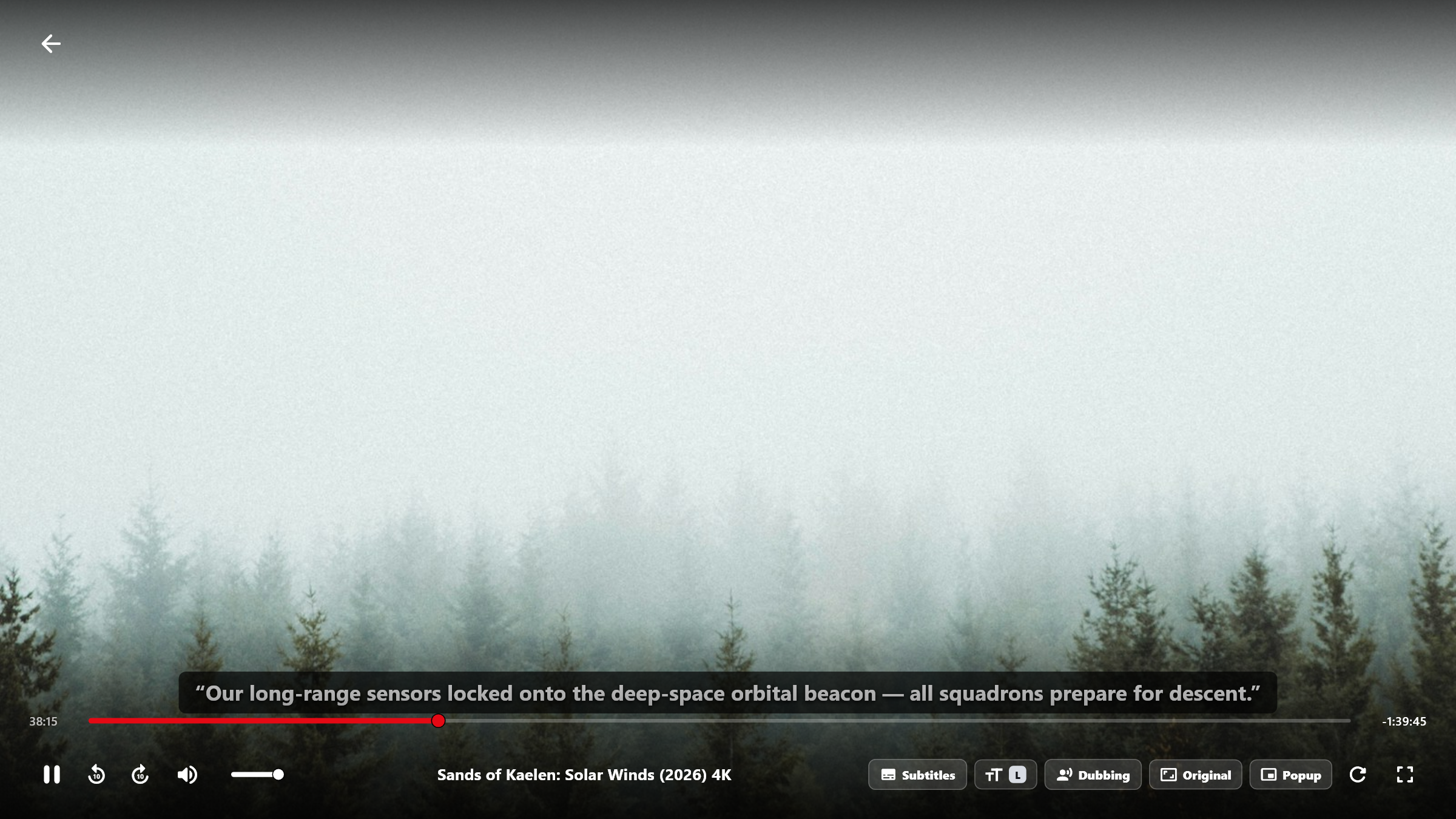
Customize subtitle typography in real time with 6 font scales from Small (S) to Extra-Large (XXXL), shift captions up or down (-5 to +15), load OpenSubtitles, and switch multi-language audio dubbing tracks.
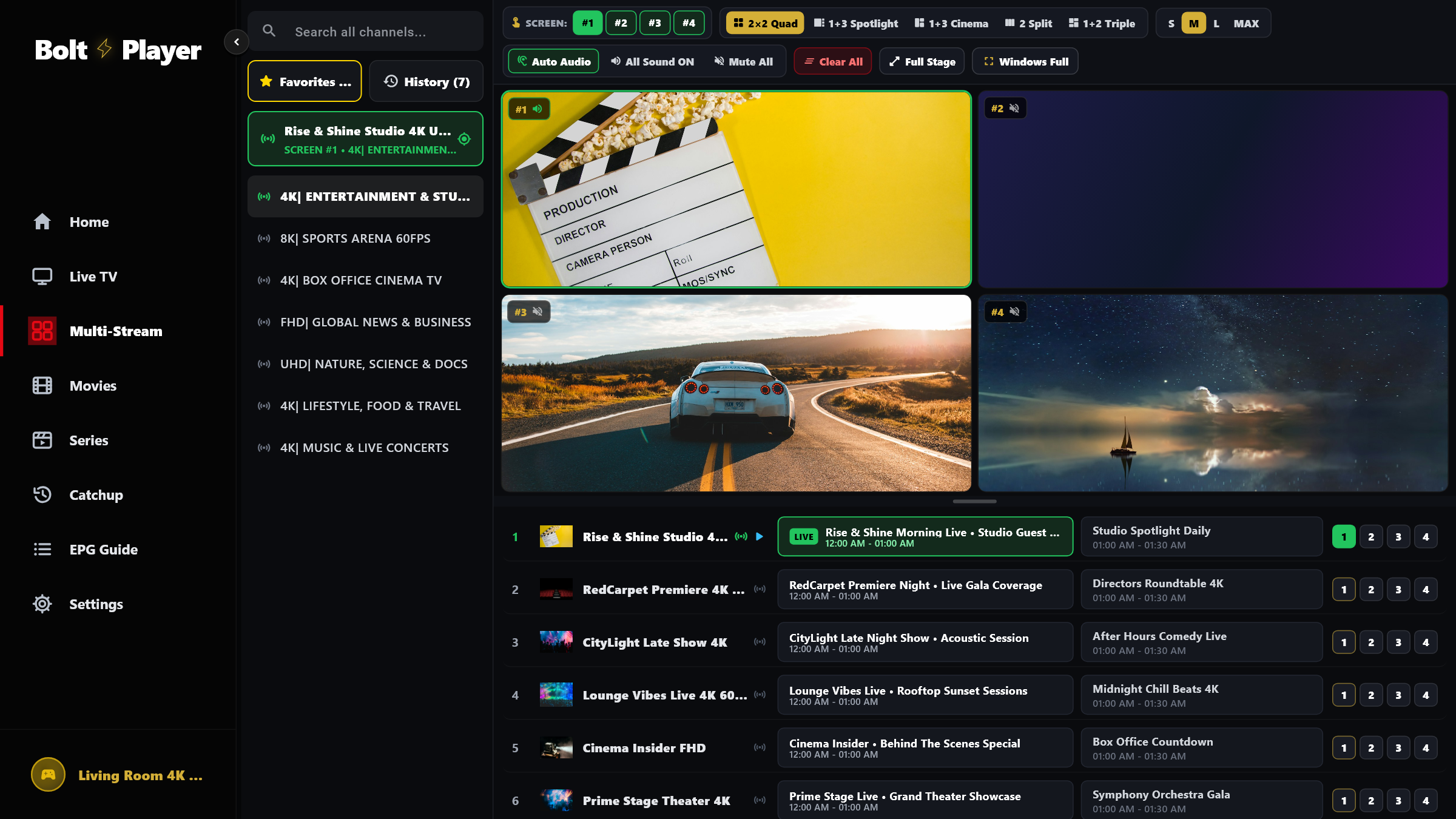
4-Screen Multiview & Sizes
Never miss a moment on match day. BoltPlayer's Multi-Stream Arena decodes up to 4 concurrent live feeds with instant Audio Solo switching, 5 layout presets, and 4 stage size presets (S, M, L, MAX).
Live TV, EPG & Catchup
0.14s Instant Zapping Live TV, horizontal XMLTV EPG Program Guide (-12h to +12h offset), and Catchup time-shift archive.
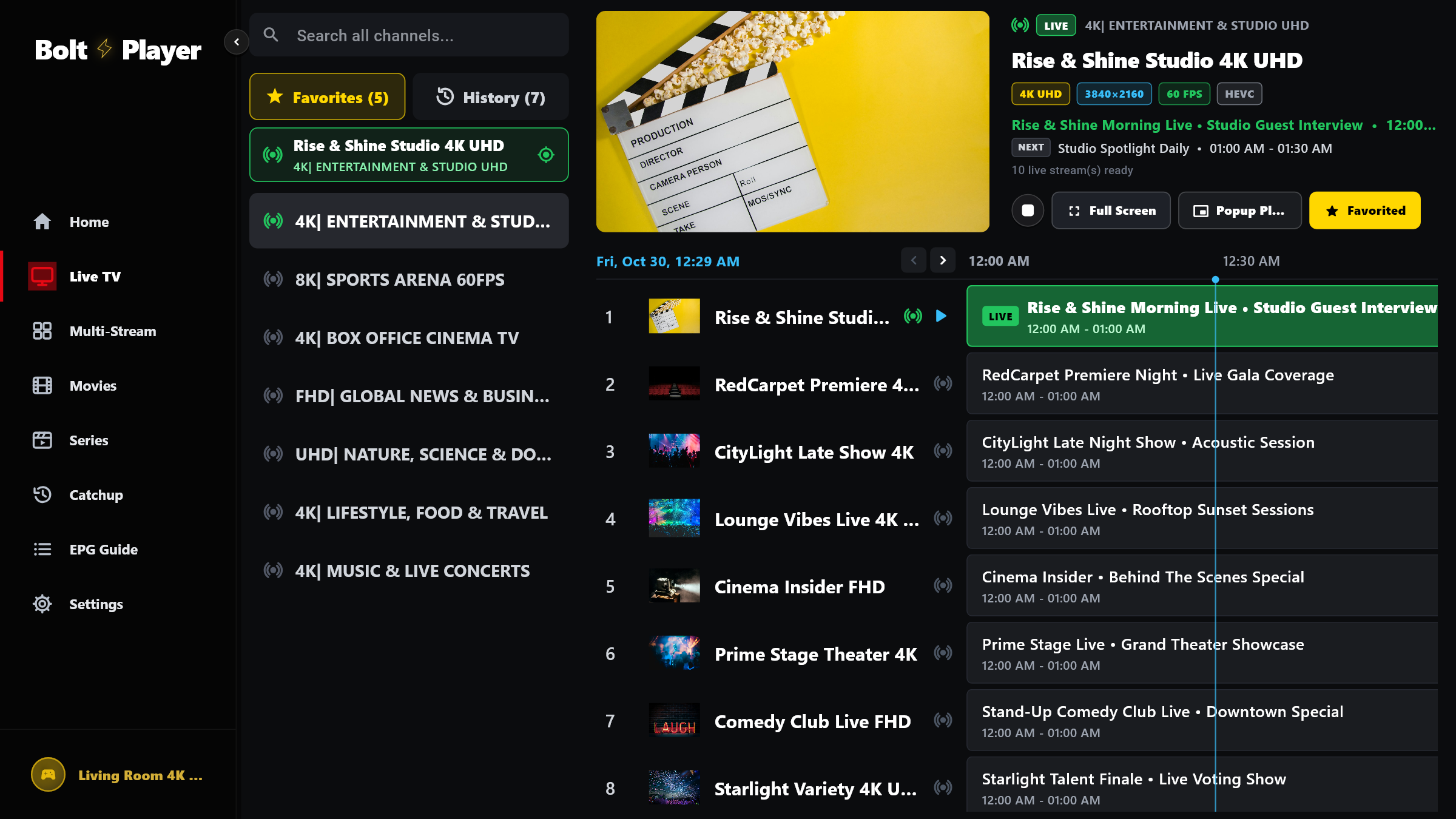
Live TV & Instant Zapping
Browse thousands of live channels organized in their exact provider rank, preview broadcasts in a docked 16:9 window with live Now & Next EPG listings, and expand to Full Screen in 0ms.
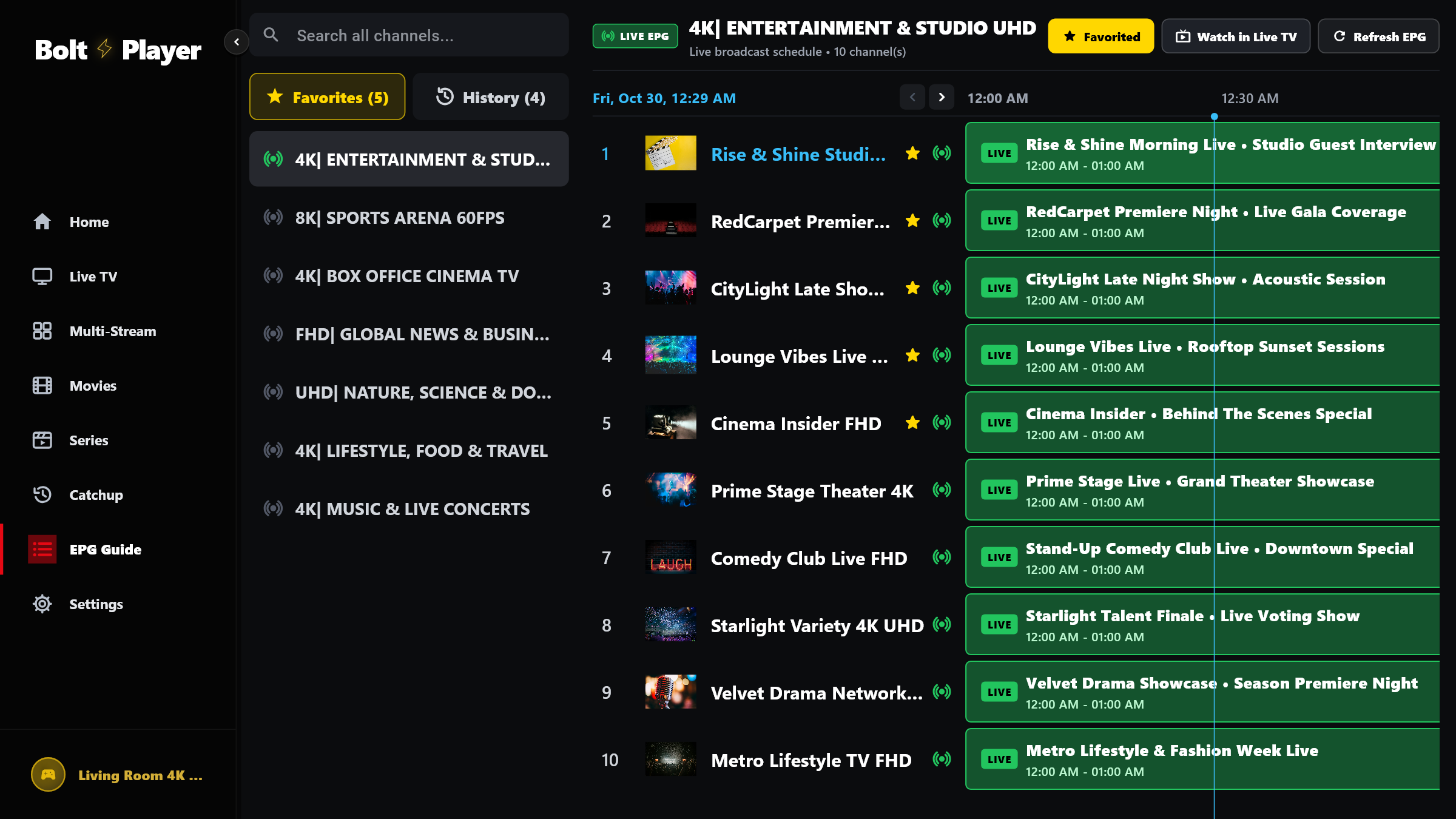
EPG Program Guide & Offset
Navigate your complete television schedule in a high-contrast horizontal timeline matrix with automatic XMLTV & Base64 UTF-8 decoding, live progress indicators, custom XMLTV source links, and -12h to +12h time-zone offset tuning.
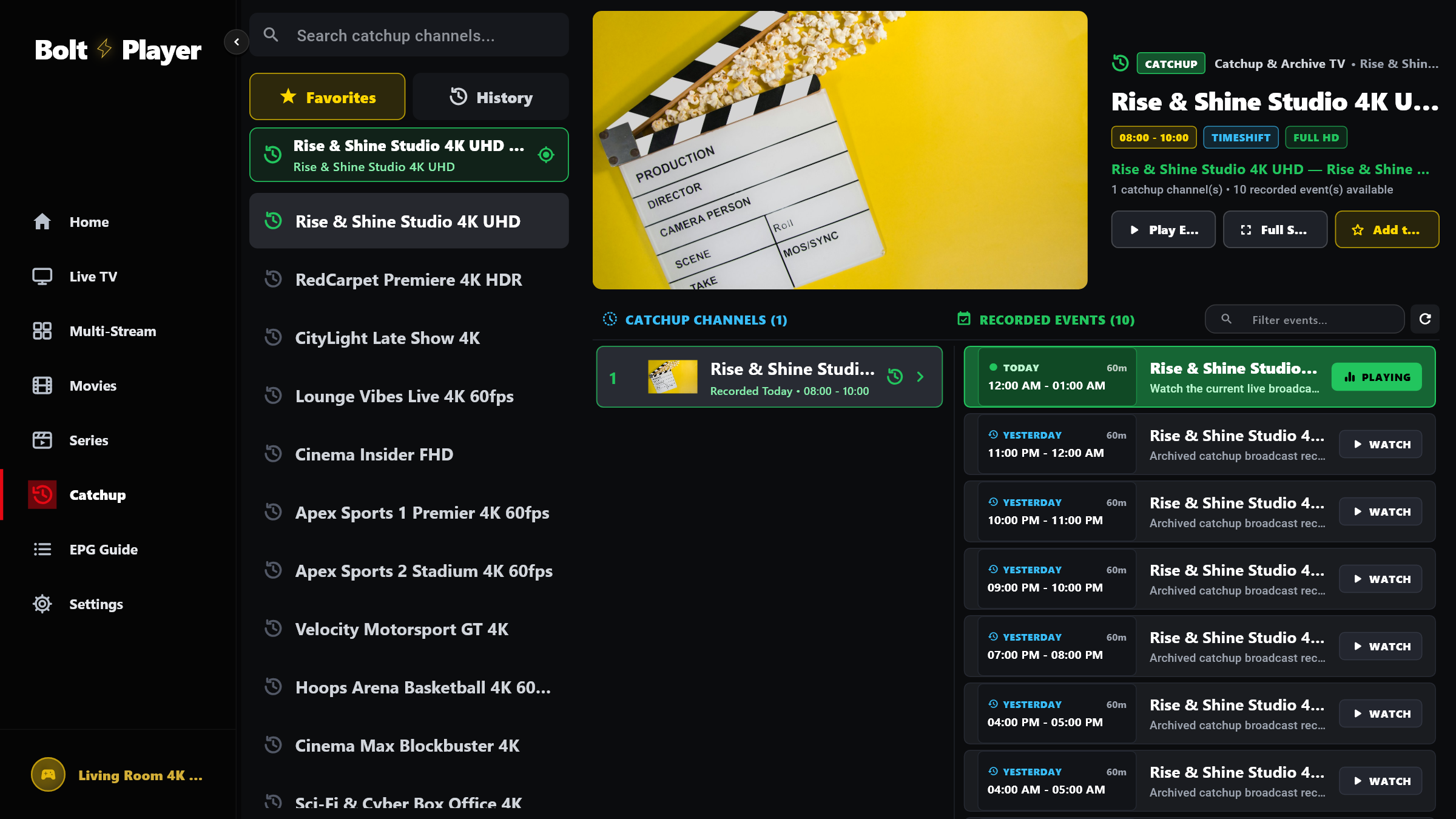
Catchup & Time-Shift TV
Never worry about missing a live game or prime-time show. BoltPlayer's dedicated Catchup section automatically filters all time-shift enabled channels and organizes recorded broadcasts by date and time slot.
Personalization & VOD
One-click Gold Star Favorites, automatic Watch History with exact-second resume memory, and 4K Movies & Series VOD.
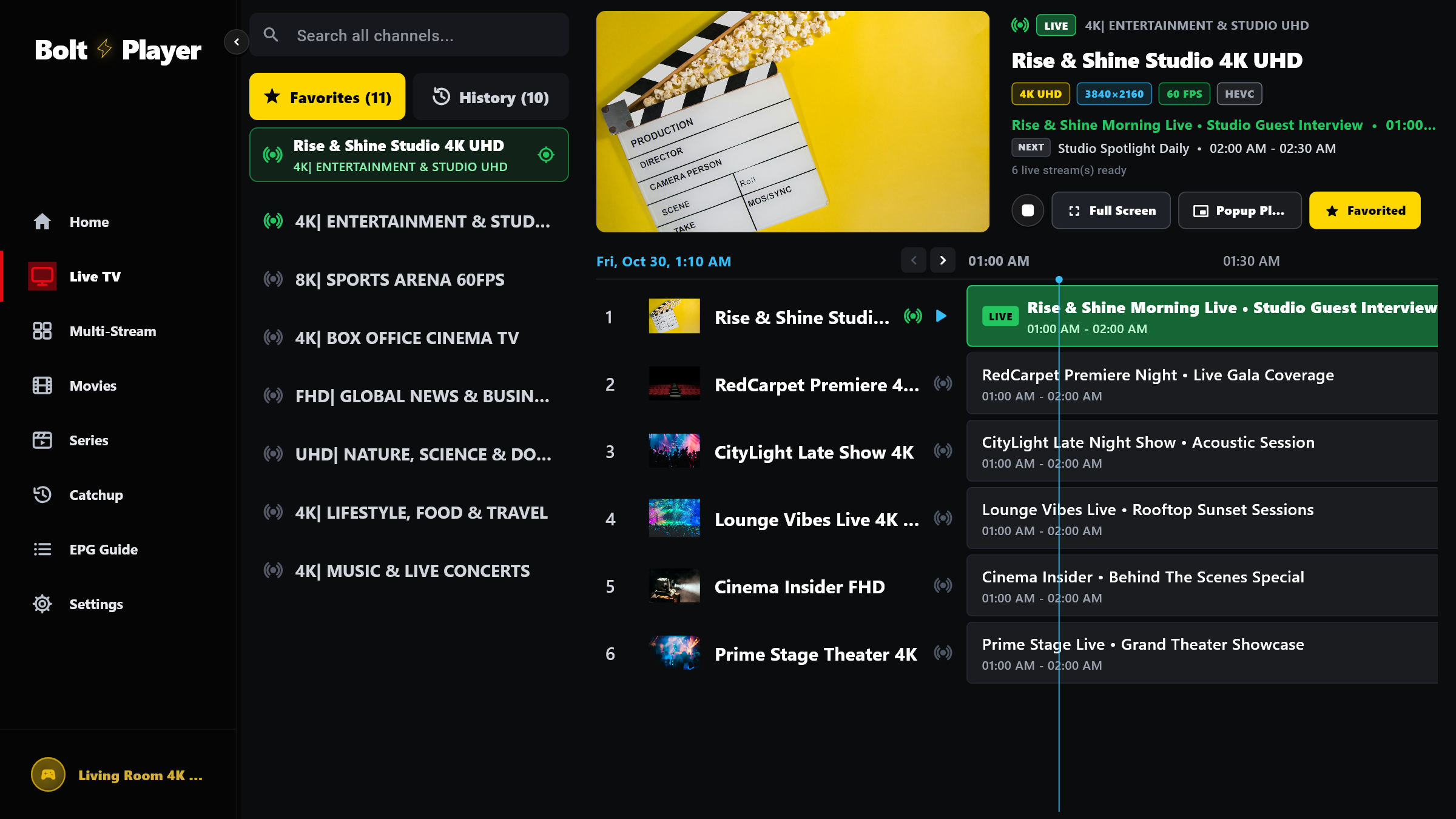
Favorites & Watch History
Bookmark your favorite Live TV channels, Movies, and Series with a single click, jump back into recently watched channels via the History tab, and resume any Movie or Series episode from the exact second you stopped.
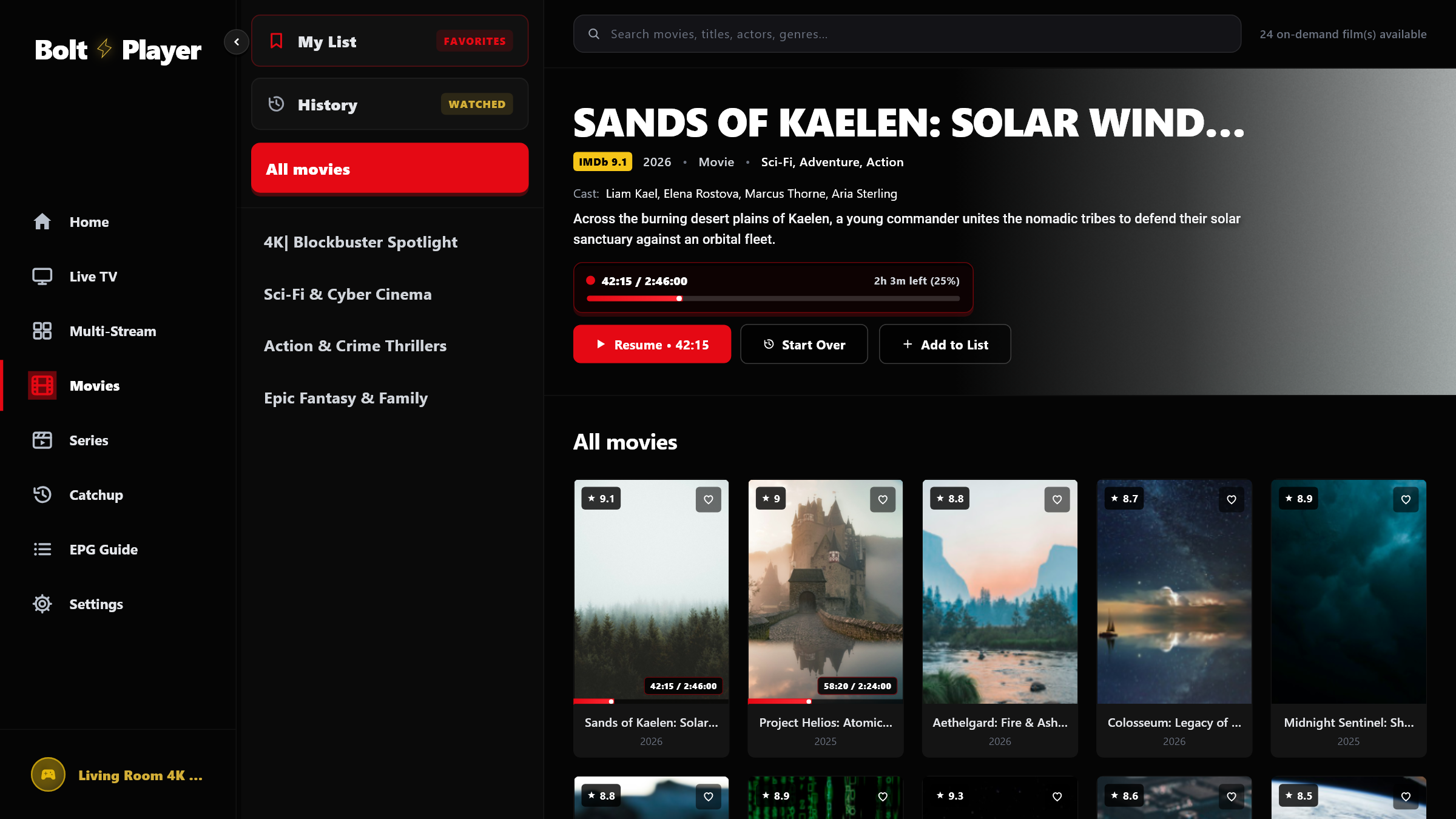
4K Movies & Series VOD
Explore your on-demand library with high-resolution poster grids, rating badges, cast & director metadata, YouTube trailer support, multi-season episode browsers, and Newest First sorting.
Profiles, Security & Settings
20 'Who's Watching?' Profiles (QR/Xtream/M3U), 4-Digit Parental PIN & Category Manager, and all 3 Settings tabs explained 1-by-1.
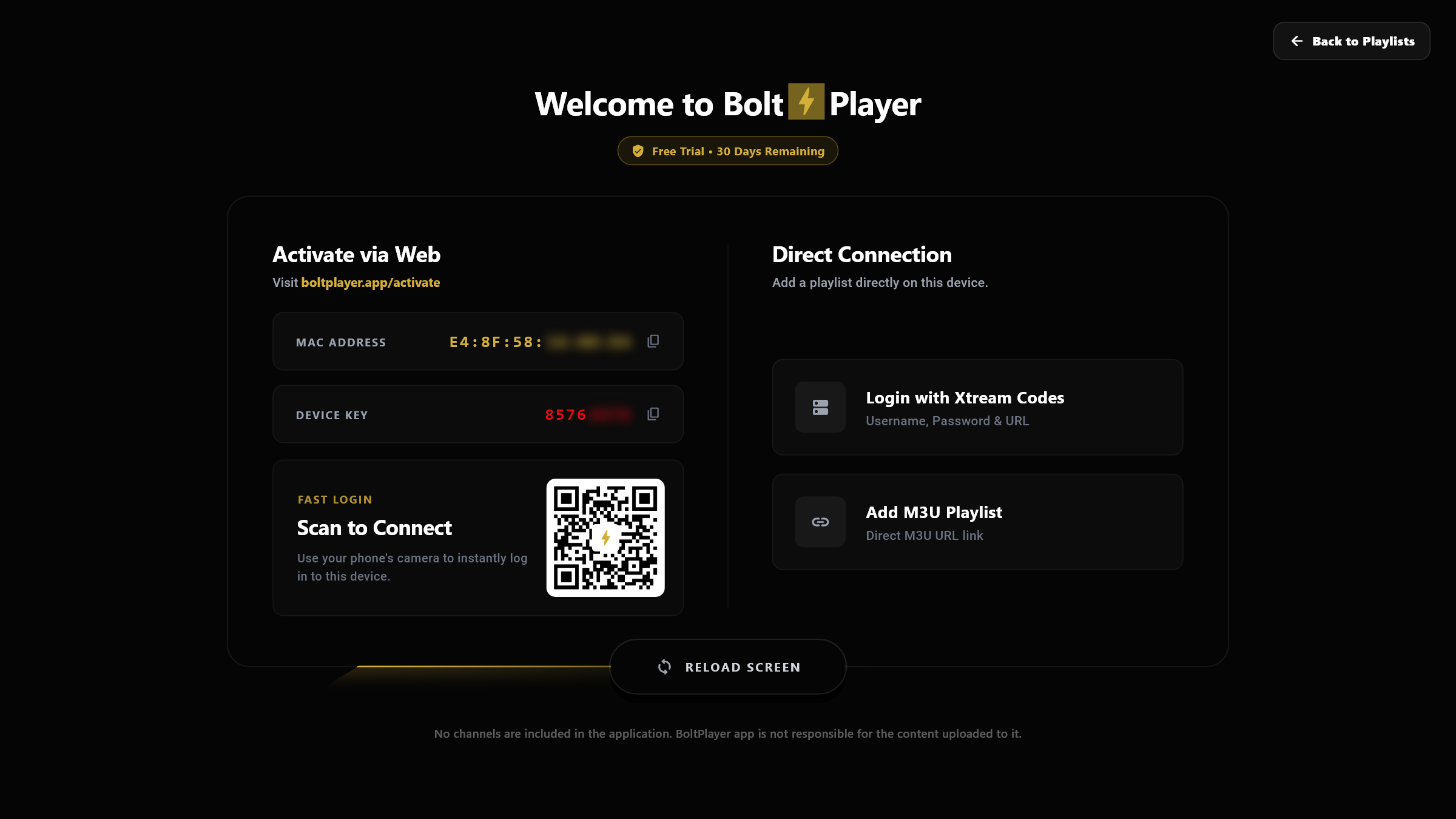
20 Profiles & Cloud Sync (QR/Xtream/M3U)
Connect your device in seconds by scanning the on-screen QR code or entering your MAC Address & Device Key at boltplayer.app/activate — or add Xtream Codes and M3U playlists directly inside the app and switch between up to 20 profiles.
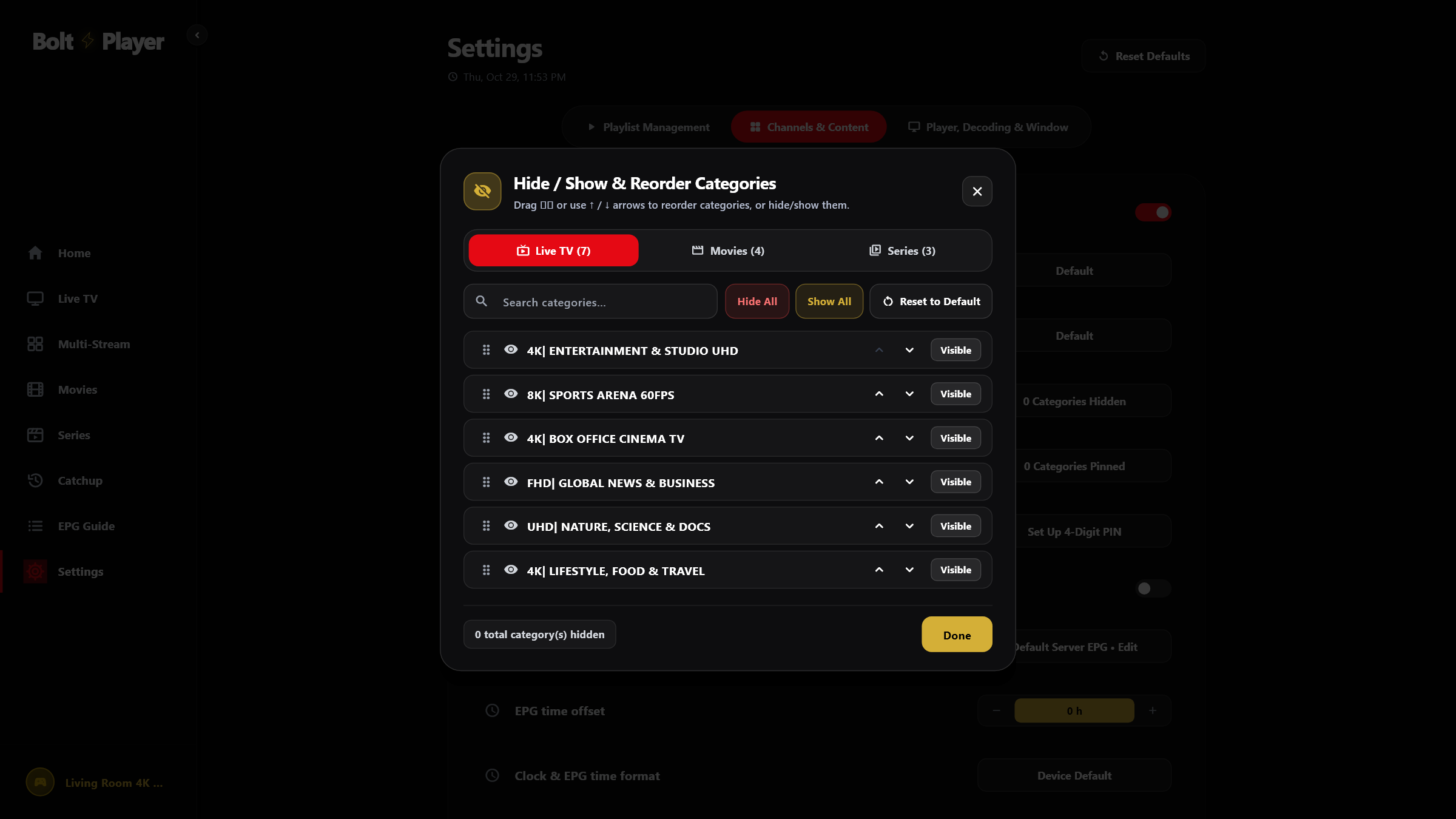
Parental PIN & Category Manager
Take full control of large playlists: hide unwanted regional categories, pin your top sports and cinema folders to the top of the sidebar, reorder groups, and lock sensitive categories behind a 4-digit Parental PIN.
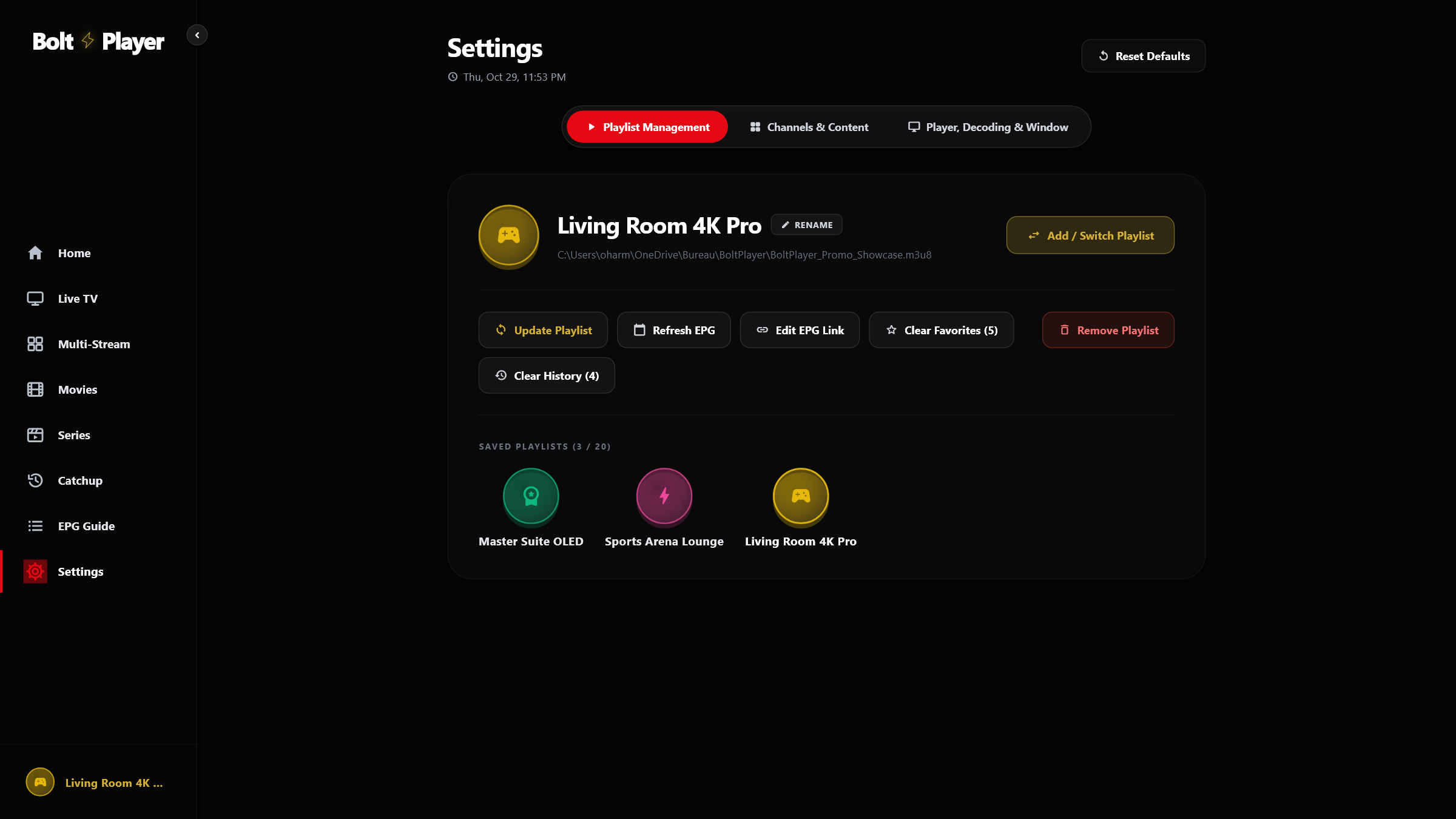
Settings Guide (1-by-1)
A complete visual tour of all 3 Settings tabs (Playlist Management, Channels & Content, and Player, Decoding & Window) plus the Category Hide/Show/PIN Lock Manager and 20-Profile Switcher.
Try All 12 BoltPlayer Features Free for 30 Days
Download BoltPlayer for Windows 10/11 or connect your playlist immediately via QR Code / MAC Address & Device Key.