
Every Setting in BoltPlayer Explained One by One
A complete visual tour of all 3 Settings tabs (Playlist Management, Channels & Content, and Player, Decoding & Window) plus the Category Hide/Show/PIN Lock Manager and 20-Profile Switcher.
Click Any Settings Tab to Inspect Every Control Row by Row
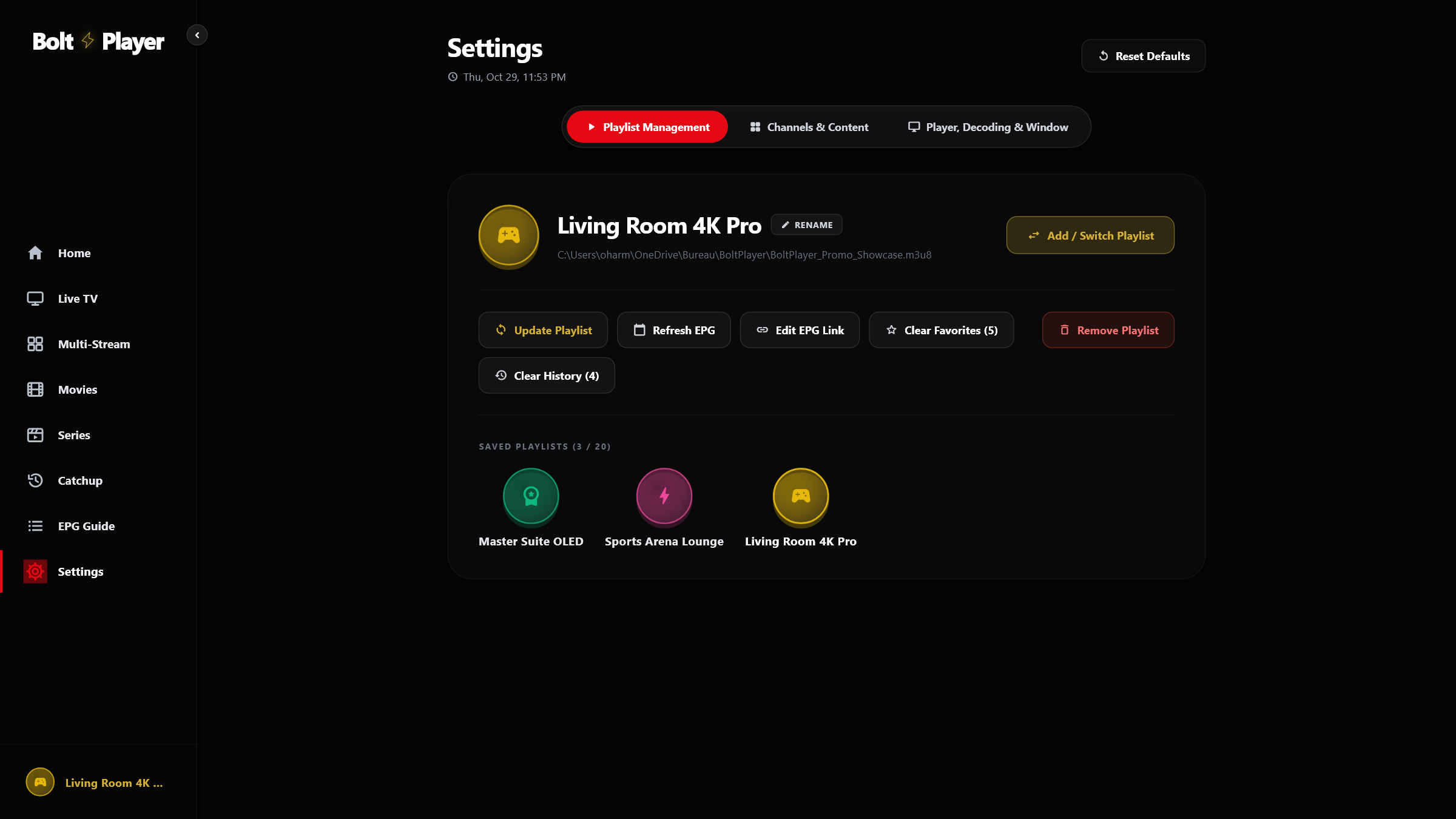
Active Playlist Status Card
Displays the active profile avatar, playlist name, connection type (Xtream Codes or M3U), server status badge, account expiration date, and indexed counts for Live Channels, Movies, and Series.
Switch / Add Playlist
Opens the 'Who's Watching?' circular profile switcher modal to switch between up to 20 saved playlists or add a new Xtream Codes / M3U playlist.
Reload Playlist
Re-downloads and re-indexes the complete channel, movie, and series catalog from your provider on a background isolate without freezing the UI.
Check New Content
Performs a fast delta check for newly added Movies, Series, and Live Channels on your server and merges them into your local disk cache.
Refresh EPG
Launches parallel background workers to reload current and upcoming TV guide listings across your live categories.
Edit EPG Source
Configure a custom external XMLTV (.xml / .xml.gz) guide URL or revert to your provider's default Xtream EPG endpoint.
Clear Favorites & Clear Watch History
Safely reset starred favorites or Continue Watching progress for the active playlist only — other profiles remain untouched.
Remove Playlist
Deletes the current playlist and its local cache (automatically blocked with a lock badge if the playlist was provisioned as Protected via the web portal).
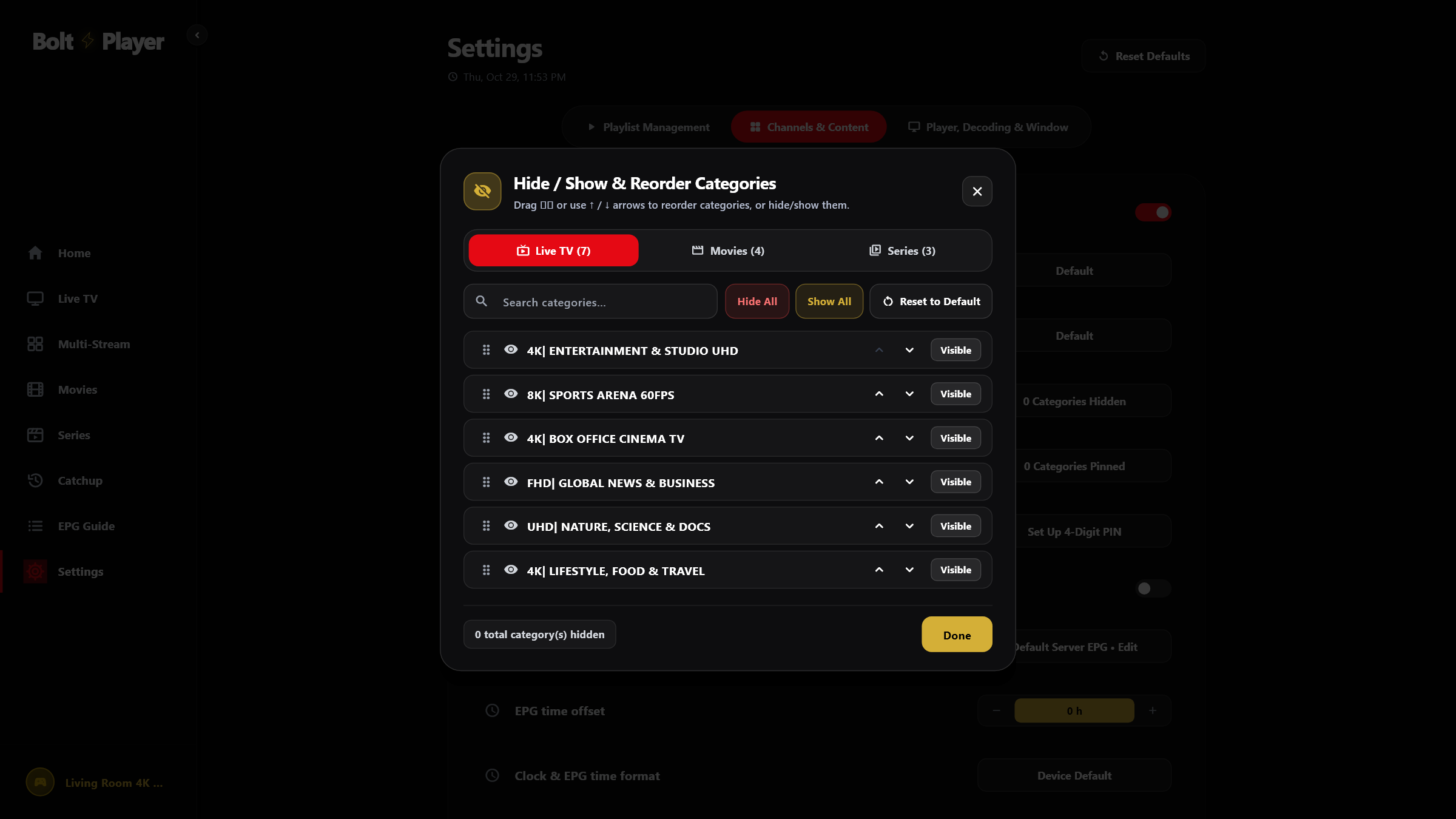
Category Manager & 4-Digit Parental Control PIN Lock
Large playlists often contain hundreds of regional or adult category folders. BoltPlayer's Category Manager lets you declutter your sidebar in seconds and lock sensitive groups with a 4-digit PIN.
Hidden categories are completely excluded from the Live TV, Movies, Series, and EPG Guide views.
Pinned groups always appear at the top of your category list regardless of alphabetical sorting.
Locked categories require your 4-digit PIN before displaying or playing any channel or VOD item.
All Captured Views for Settings Guide (1-by-1)
Settings Tab 1: Playlist Management
View active playlist health, expiration status, and total indexed Live Channels, Movies, and Series, or trigger Reload, Check New Content, and Refresh EPG.
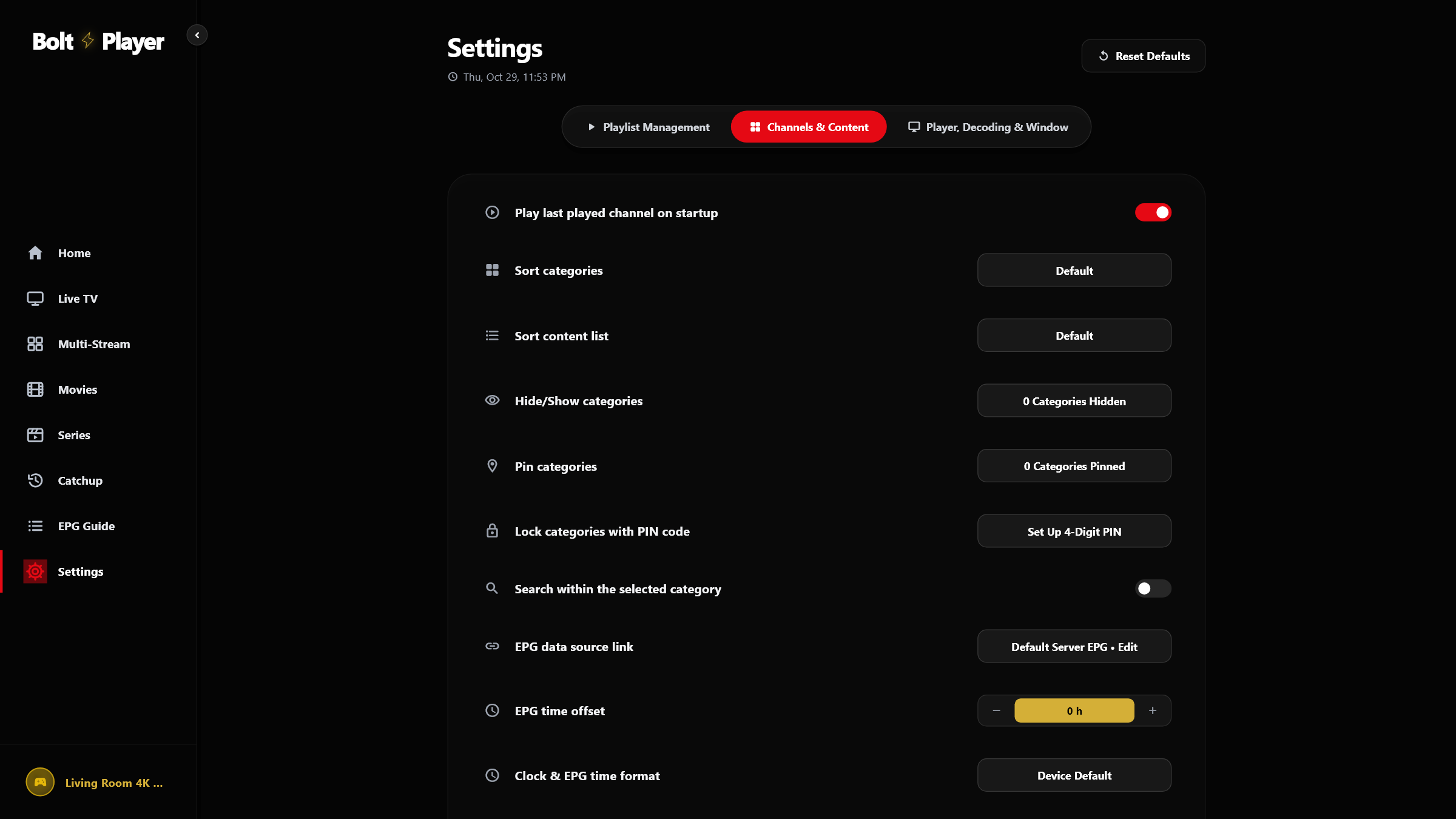
Settings Tab 2: Channels & Content
Customize startup auto-play, category sorting (Default, A-Z, Z-A), content sorting (including Newest First), EPG time offset (-12h to +12h), and 24h/12h clock formats.
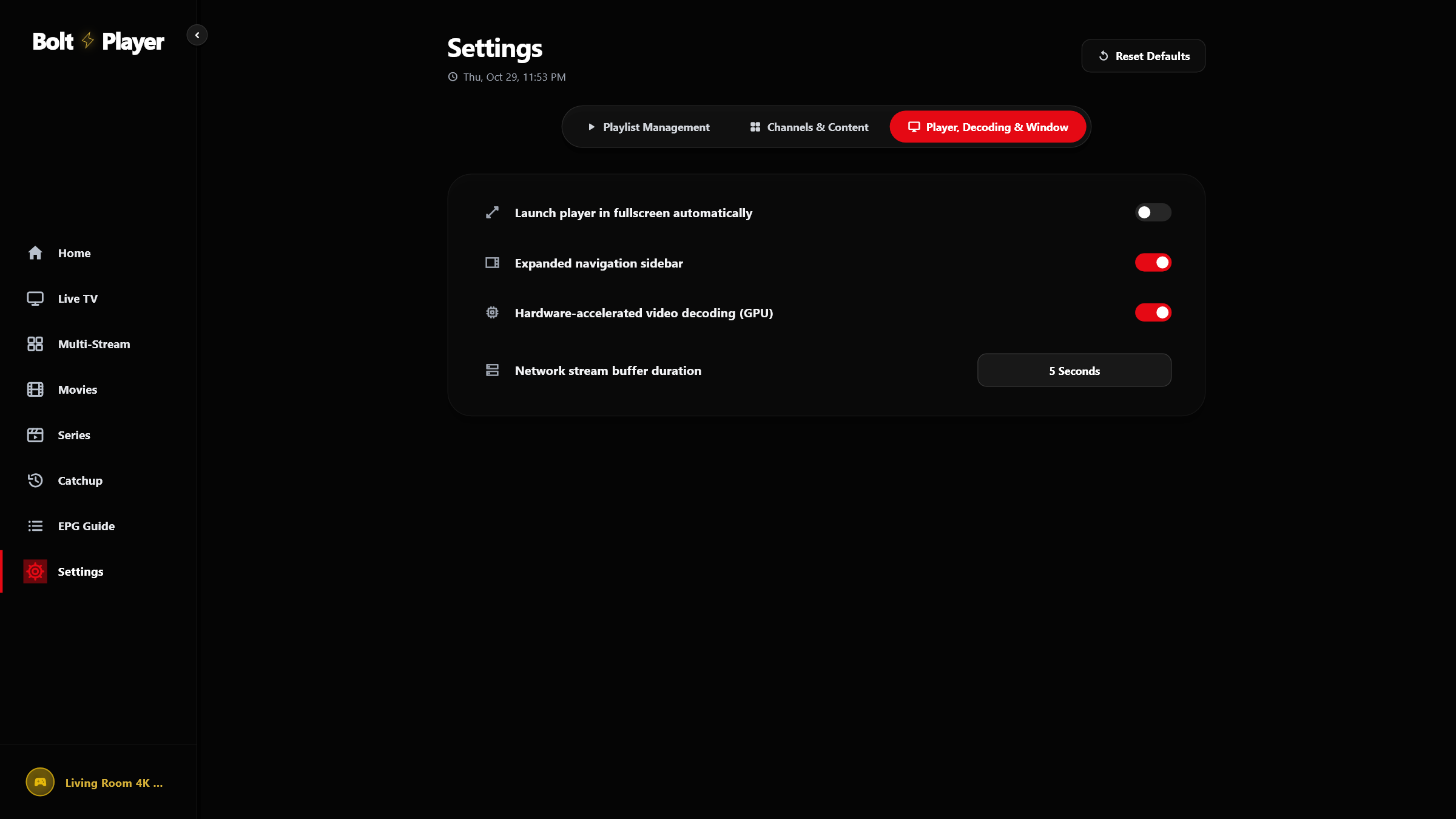
Settings Tab 3: Player, Decoding & Window
Control automatic fullscreen startup, expanded navigation sidebar, GPU hardware-accelerated video decoding, and network stream buffer duration (2s / 5s / 10s).
Category Hide/Show, Pin & 4-Digit PIN Lock Manager
Manage Live TV, Movies, and Series groups in one modal: search categories, Show All / Hide All, pin top groups, or lock restricted categories behind a 4-digit PIN.
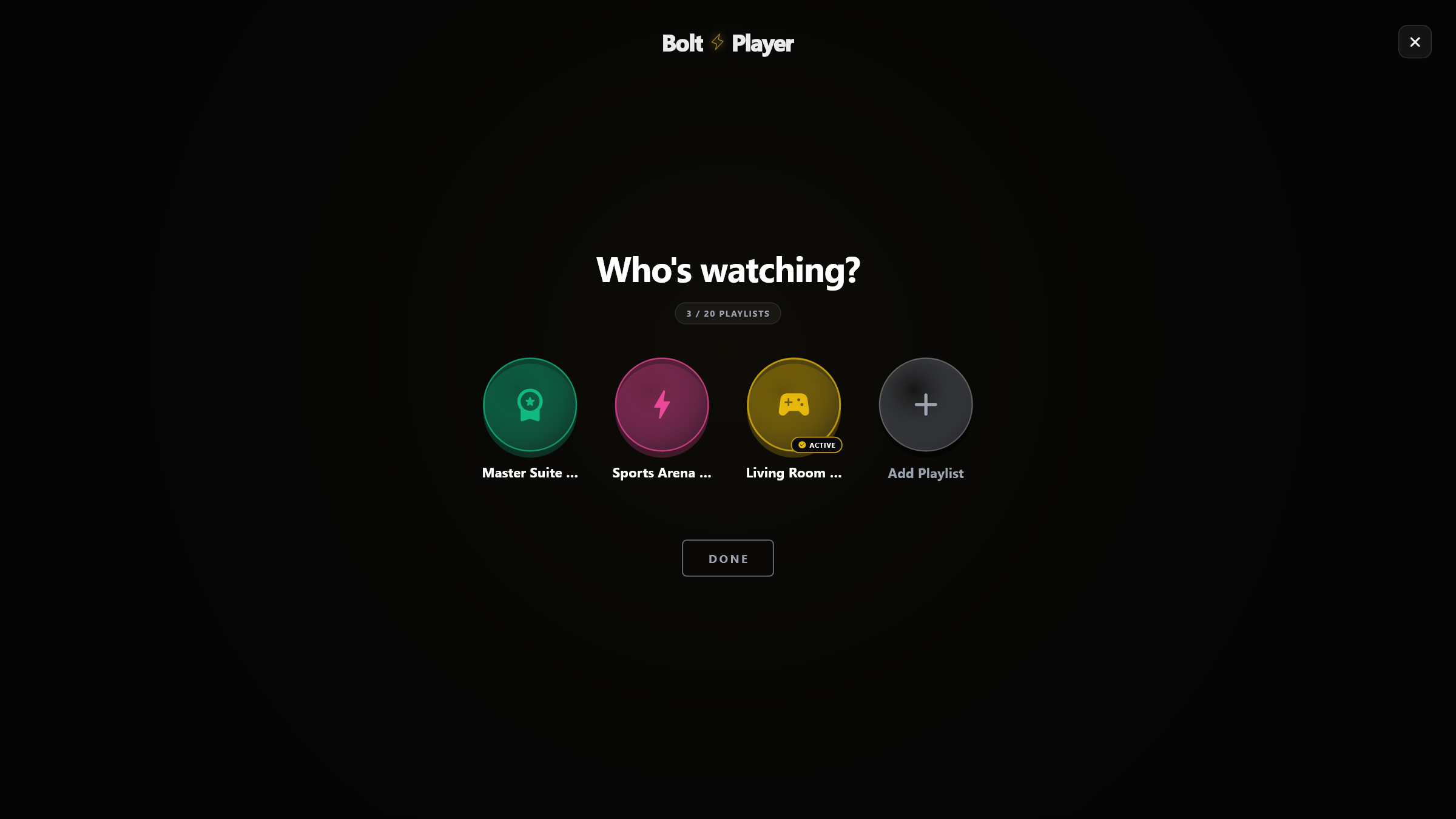
'Who's Watching?' 20-Playlist Profile Switcher Modal
Switch seamlessly between up to 20 independent playlists, each with its own neon avatar ring, isolated favorites, watch history, and protected lock status.
Try Settings Guide (1-by-1) Free for 30 Days
Download BoltPlayer for Windows 10/11 or connect your playlist immediately via QR Code / MAC Address & Device Key.