
Interactive Multi-Hour EPG Program Guide & Time-Zone Offset (-12h to +12h)
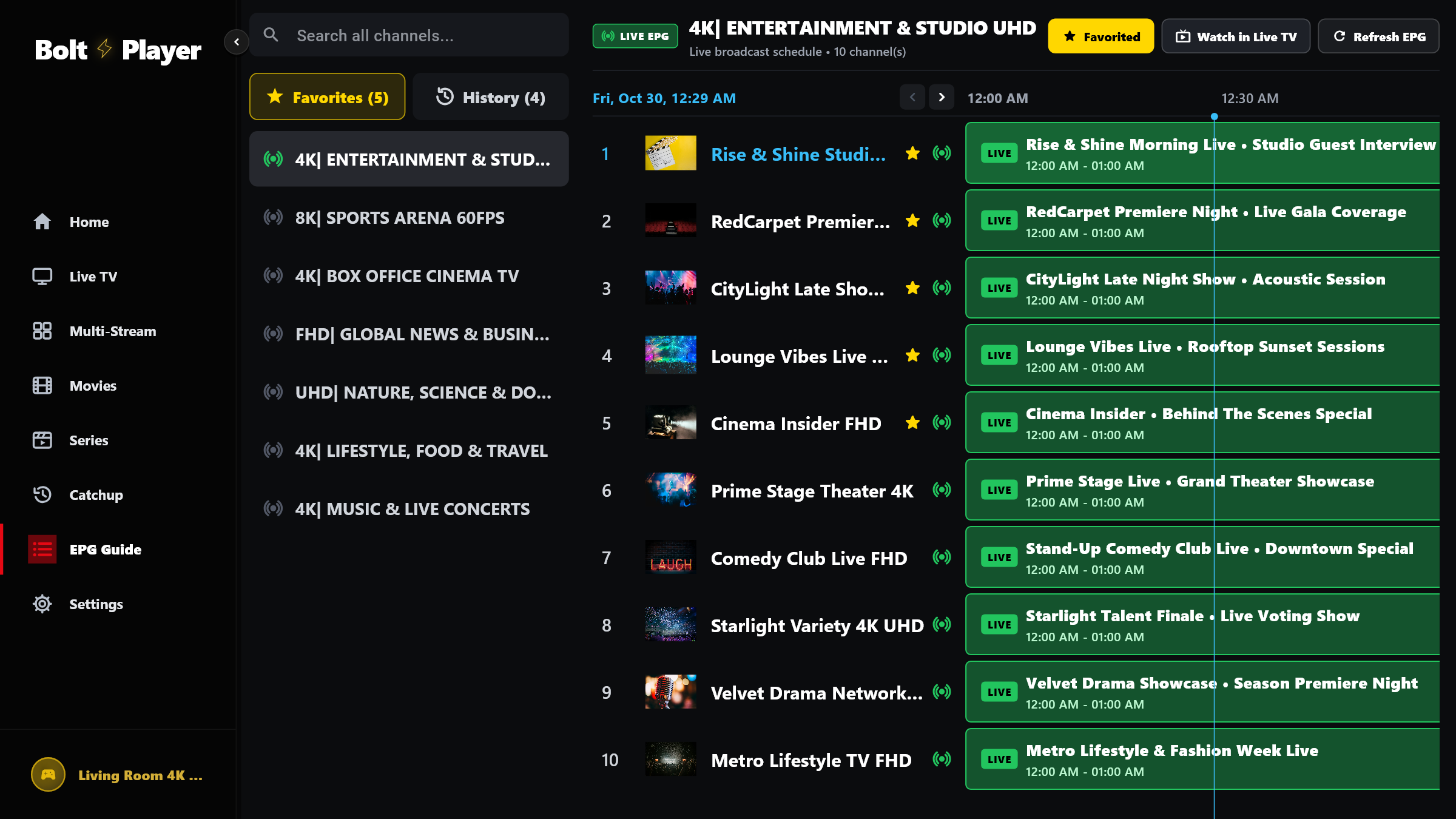
Navigate your complete television schedule in a high-contrast horizontal timeline matrix with automatic XMLTV & Base64 UTF-8 decoding, live progress indicators, custom XMLTV source links, and -12h to +12h time-zone offset tuning.
Multi-Worker XMLTV Sync & Time-Zone Calibration
BoltPlayer fetches and parses XMLTV and Xtream short/full EPG data on background isolates so your interface stays locked at 60fps even when loading thousands of program slots.
Cleanly decodes international characters, accents, and Base64-encoded Xtream program titles and descriptions.
If your provider's EPG server is in a different time zone, adjust the offset in Settings so program times match your local clock.
All Captured Views for EPG Program Guide & Offset
Interactive Horizontal EPG Timeline Matrix
Filter by category or Favorites on the left, inspect current and upcoming programs across the horizontal timeline, and click any row to tune the channel immediately.
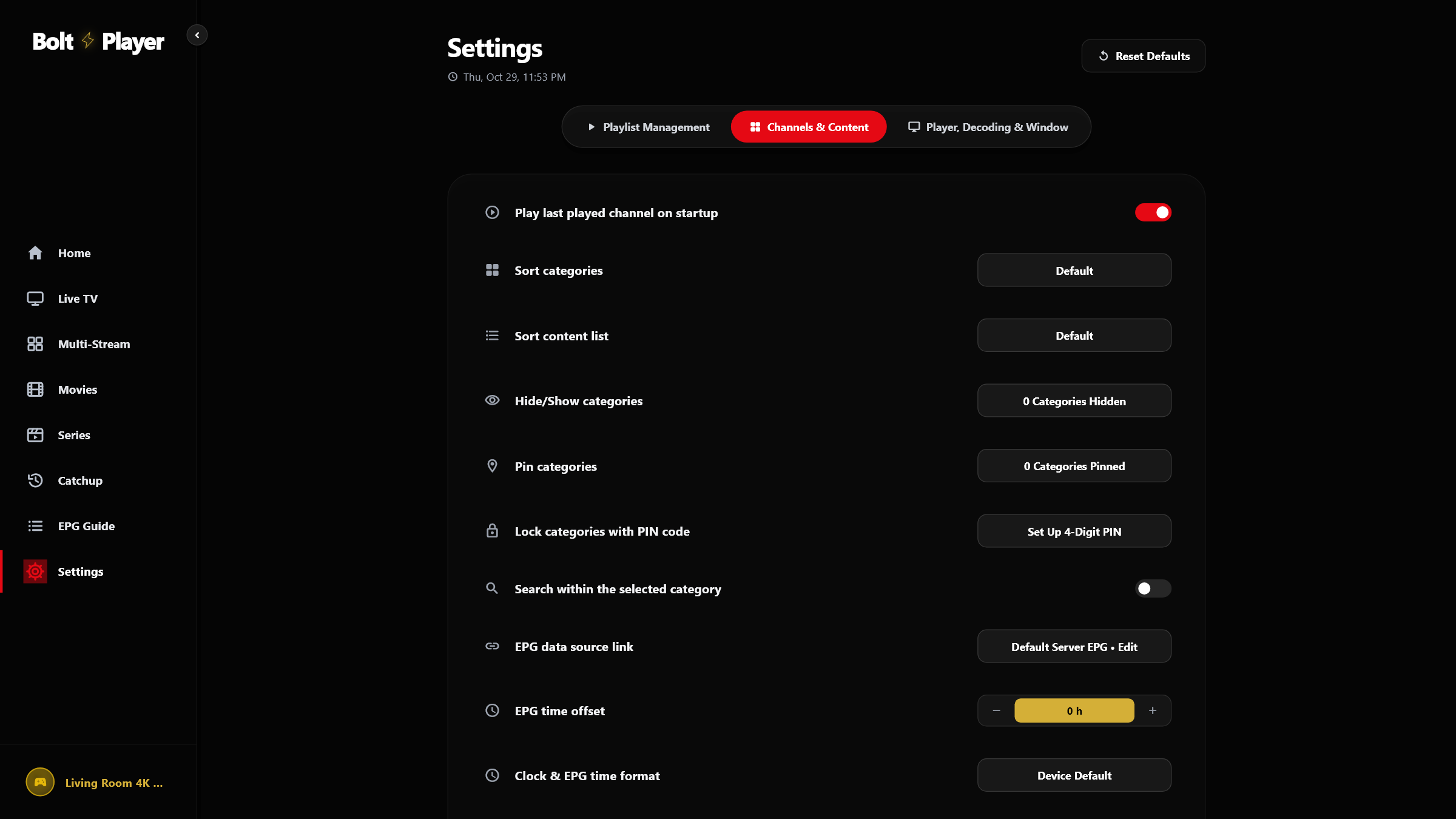
EPG Time Offset (-12h to +12h), Custom XMLTV URL & Clock Format
Configure custom XMLTV data source URLs, adjust the EPG time-zone offset from -12h to +12h, and pick 24h or 12h time formatting in Settings → Channels & Content.
Try EPG Program Guide & Offset Free for 30 Days
Download BoltPlayer for Windows 10/11 or connect your playlist immediately via QR Code / MAC Address & Device Key.